Saturday, 31 December 2011

Enjoy Tasty Pav-Bhaji Recipe On New Year Party

Ingredients:
Aalu(Potato) 500gm
Tomato 500gm
Hare Matar 500gm
Dhabbu mirch 500gm
Amul Butter 150gm
2 Nibbu
2 Tablespoon Everest Pavbhaji Masala
1 teaspoon Lal mirch powder
1 teaspoon Haldi powder
Bhavbhaji Bread-36
Adrak(Ginger)
1 Lahsun(Garlik)
3 Pyaj(Onion)
Namak(Salt)

Procedure:
Aalu aur matar ko ubal(Boil) kar le. Tomato ko mixer me grind karke rakhe. Ab pyaj aur shimla mirch ko kat kar rakhe. Adrak-Lahsun ki paste banale. Ab ek bartan me tel garam kare usme Adrak-lahsun paste,Pyaj dale. Thodi der pyaj talne ke bad usme Haldi powder aur dhabbu mirch dal kar pakaye.
Ab aalu,hare matar aur tomato paste dale. Lal mirch powder aur Everest pavbhaji masala dal kar use achchi tarha pakaye
Aapki swadisht Pavbhaji tayyar he
Happy New Year 2012.

Related Post with Thumbonails widget/Gadget for your Blogger/Wordpress Blog

Happy New Year 2012 to all
Today when I am surfing on internet. I have got a website here you can get related post widget with thumbonails.
I am also using it on my blog.
It's a good widget for bloggers to keep their visitors busy on their blog.

To get this widget just follow the steps below.
1. Go to www.linkwithin.com
Fill the following information
*Email:
*Service Provider: Select the hosting serive like Blogger,Wordpress
*Blog Url: enter your blogg web address
*Width: Choose no of post you want in widget
Now click to "Get Widget and then click on "Install widget"

If you are Blogger user then:
Login to your account and add the widget and just drag it below the posts and save changes.
When visitors visits to your blog post, they will see this related post widget below each post
Enjoy.

Friday, 30 December 2011

Facebook Account Security Options


Facebook is popular social network in the world.
It become a necessary part of life for some peoples to stay connected with their family,relatives and friends.
Use facebook account privacy option to keep your account secure.

Click to Dropdown Menu on the top
Go to "Account settings" then "security"
Give here your mobile number to start text messeging updates on your phone
Here you can set up
log in mobile/Email notifications also

"Privacy settings:"
Choose your privacy from this
Public
Friends
Custom

you can block unwanted person from your Profile.
You can mangae Blocked peoples here

Other Privacy options:
How you conect
who can post on your wall
who can see your profile
who can send friend request to you
who can send facebook msg to you

Use this options and keep your profile secure.

Wednesday, 28 December 2011

Things that I love about iPad 2....

There are a lot of things that I love about the iPad 2...I'm sure most people agree with the statement given that the iPad 2 is packed with a lot of features...

Here are the top 10 lists of what I love about the iPad 2...

1) Reading

I'm sure this is not on the top list for most people but reading on the iPad brings a new experience. Everytime when I am on the go, I could easily browse the magazines, newspaper and articles. Whenever I wanna blog and I seem to run out of idea, reading the blogs of my friends help to inspire me. It is also interesting to read about my favorite football team news. It really help me to stay connected.
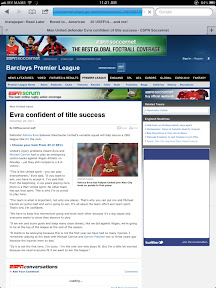


On the image is shown one of my favorite websites where I read most of the articles...


2) Blogging

Can you imagine blogging while on the go? Well, I'm a blogger and I love to write about things that I love, share about new discoveries and also to discuss about things via blogosphere. I used to blog with my netbook when I reached home but with the iPad,I always use it to blog. Whenever I want to write a very long contents, I will use the keyboard that I bought.
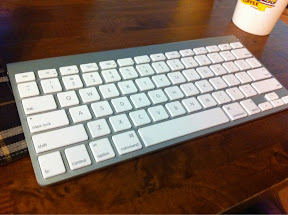


And of course, blogging with the keyboard on the iPad is not too bad either after one get used to it. In fact, it was pretty fun.

3) Watching video

This is probably one of the best feature in the iPad...with such beautiful device at hand and the video playing with such high resolution, I totally enjoy it.



It works even better when the connection is good....YouTube, VEVO, etc....of course, it also work perfectly fine to sync your favorite video onto the iPad.


4) Game Play

Now most people will agree with me on this: that game play on the iPad gives a lot of fun. With the cool graphics and a user-friendly interface, gaming on the iPad is flawless....but I'm not really that into gaming....but still, I have enjoyed the moment...

5) Social Networking

This is one thing that help one keep in touch in a cool manner. I don't remember the last time purposely turn on my laptop or netbook for Facebook or twitter...in fact, it is turn on in a split second on my device...
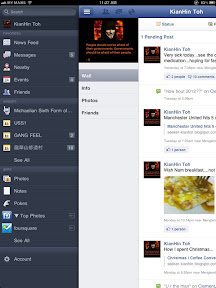


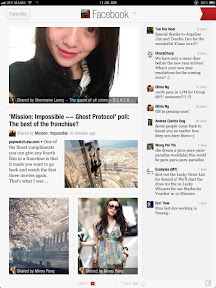
The official Facebook app on my iPad...
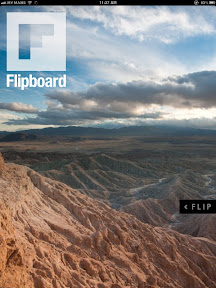


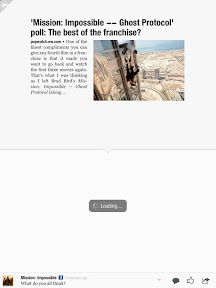
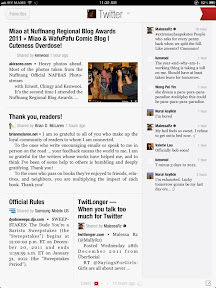
And then there is flipboard that works like a magazine...
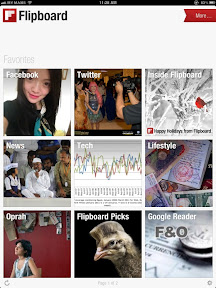


Flipboard works perfectly fine on both Facebook and twitter...

6) Listening to Music

Well, listening to music is definitely not the most efficient thing on an iPad but what the heck, this device helps to keep the beat and the mood...

7) You've Got Mail

Now I don't know a better way to put this but gmail on an iPad works flawless and also hotmail....it is easier to read on the screen with beautiful interface and layout....checking mails on the iPad makes working a lot easier...
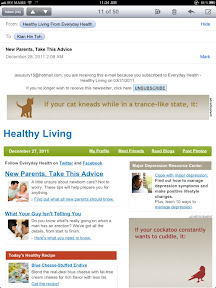
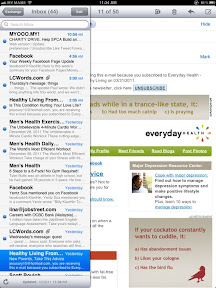
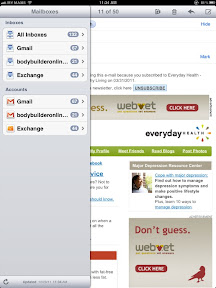


Emailing is smooth and it is easy to manage...helps me to keep my hands off the PC...

8) Time Management

I used to enjoy having a planner or a diary each year...especially the Starbucks one...but with the iPad, I don't think there is a need for paper and pen. iPad calendar features are cool...and one could easily sync via the Internet, such as the Microsoft Exchange, Gmail and etc....
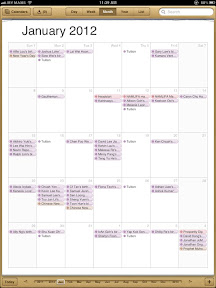


A calendar that is sync with Facebook birthdays, hotmail and gmail...how's that for being organize??


9) Video Call is Amazing

I'm not sure if there are a lot of people who are keen about video calling but one thing that I can say: iPad makes video calling cool and real...reason is simple enough: the video call on a large screen makes it easier to connect...of course, one has to make sure that the Internet connection is fast enough....try unifi!!


Try Skype on the ipad2...

10) Apps, apps, apps....

What do you think of Apple? The first thing that comes to mind: apps, apps, apps...

Well, there are a lot of different apps that gives us different thrill...

Here are a few that I will share:
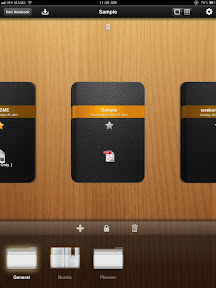


DocAS is cool for usage and it is really amazing....it is beautiful and functionwise: very useful...
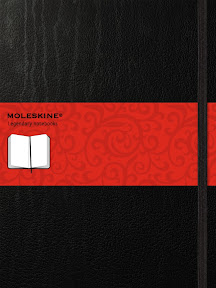


Moleskine...the famous and expensive notebook is available on iPad 2 for free, as an app...
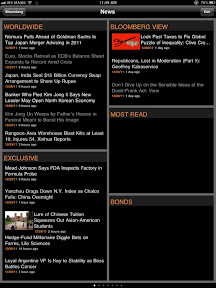


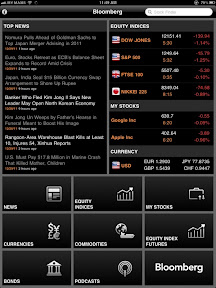
Bloomberg, you can bring news and business with you on the go...



For the geek, check out national geographic...



Here is one entertainment for those who love cute and adorable stuff like Happy Feet....

I guess that's all for now but trust me, the iPad 2 will change your lifestyle..

Posted using BlogPress from my iPad

Saturday, 24 December 2011

How to remove Blogger Navigation Bar?

Navigation Bar: it is a special bar which contains links like search,follow,next site,sign in/sign out


if you are thinking to remove your Blogger Navigation Bar then follow this easy steps:
1. Log in to blogger.com with your Gmail id & Password
click to "Design" and then "Edit Html".

2. Paste the html code below the Template information like this:
Blogger Template Style:
Name:
Designer:
URL:
#navbar-iframe {
display: none !important;
}
3. Click to "Save" and View your blog.

Free sMs Reminders Service By Google Calender


Hi Friends,
If you have habit of forgetting important meetings,family members birthday,or any important dates then don't worry we have solution for it.
Use Google calemder as a sMs Reminder you will get sMs on the date and time with reminder detail on your Mobile
To set up just follow this steps:
Just sign in with your Gmail id and Password at:
www.google.com/calender
To enable sms reminders go to Calender Settings and click "Notifications" select "Reminder Options as sMs" and Save it

Click to "Mobile Setup" select your "Country" Enter your Mobile number
after some time you will get a verification code via sMs.
Enter the code received and click on "Verify" and "save"

How to set a sMs reminder:
Log in to Google calender then click to
"Create"write "Title of the Event"

"Date/time of Event
(on this date and time you will get sMs Reminder)

"Repeat": if you want to repeat this event reminder as weekly,monthly or yearly you can set it

Where: write the place of the event

Discription: add discription of the event

Reminders: Here you can set 1 or reminders. Choose options from dropdown Menu
Email
sMs
and click to "Save"
Enjoy it and never forget important event,meetings,birthdays,Anniversaries and other programs of your life
Thank you
Visit again..:-)

Easy And Tasty Maggi Recipe

Material:
1 Magee noodles big packet of 20 Rs
1 Onion
1 Tomato
Salt
Coriander
Tomato Sos etc.

Procedure:
First cut the onion,tomato and coriande in a plate.
Now boil 4 cups of water in to a deep pan. Then put cutted onion,tomato and coriande in to pan.
And add magee nodles,some salt,and magee masala.
Cook it for 10 minuts and surve it with tomato sos.